Create a row group with a collection of rows. This requires specification of
the rows to be included, either by supplying row labels, row indices, or
through use of a select helper function like starts_with().
tab_row_group(data, group = NULL, rows = NULL, others = NULL)
Arguments
| data | A table object that is created using the |
|---|---|
| group | The name of the row group. This text will also serve as the row group label. |
| rows | The rows to be made components of the row group. Can either be a
vector of row captions provided in |
| others | An option to set a default row group label for any rows not
formally placed in a row group named by |
Value
An object of class gt_tbl.
Figures
Function ID
2-4
See also
Other Create or Modify Parts:
tab_footnote(),
tab_header(),
tab_options(),
tab_source_note(),
tab_spanner_delim(),
tab_spanner(),
tab_stubhead(),
tab_style()
Examples
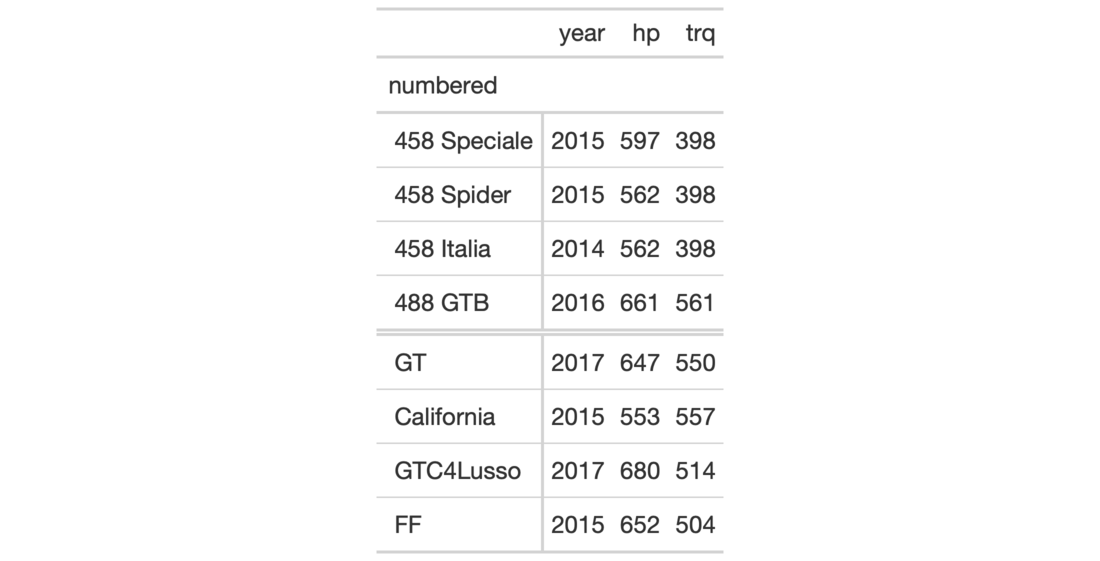
# Use `gtcars` to create a gt table and
# add two row groups with the labels:
# `numbered` and `NA` (a group without
# a title, or, the rest)
tab_1 <-
  gtcars %>%
  dplyr::select(model, year, hp, trq) %>%
  dplyr::slice(1:8) %>%
  gt(rowname_col = "model") %>%
  tab_row_group(
    group = "numbered",
    rows = matches("^[0-9]")
  )

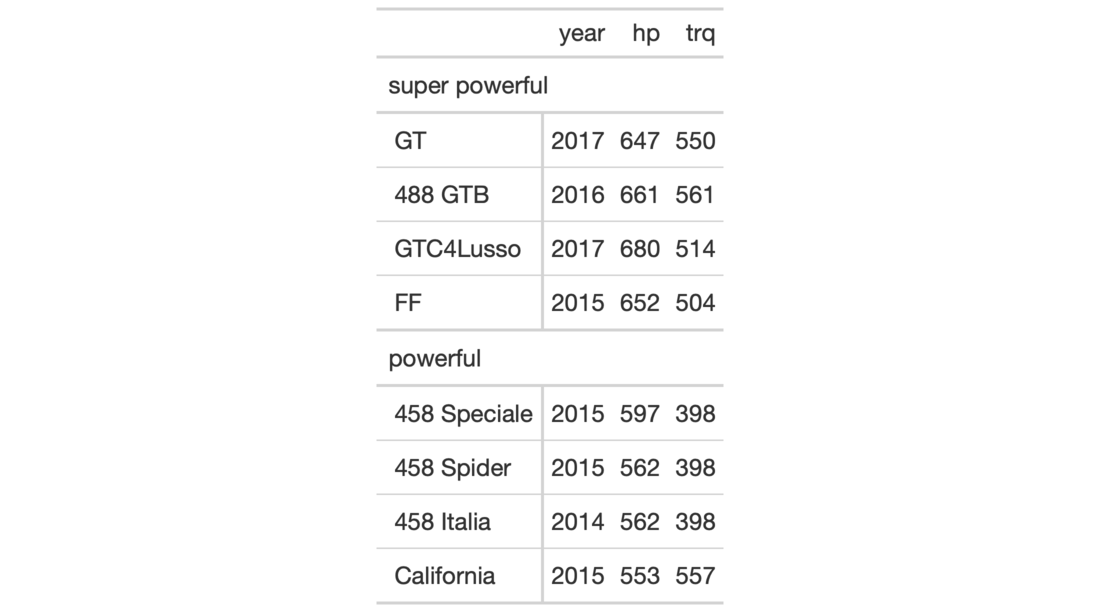
# Use `gtcars` to create a gt table;
# add two row groups with the labels
# `powerful` and `super powerful`: the
# distinction being `hp` lesser or
# greater than `600`
tab_2 <-
  gtcars %>%
  dplyr::select(model, year, hp, trq) %>%
  dplyr::slice(1:8) %>%
  gt(rowname_col = "model") %>%
  tab_row_group(
    group = "powerful",
    rows = hp <= 600
  ) %>%
  tab_row_group(
    group = "super powerful",
    rows = hp > 600
  )